

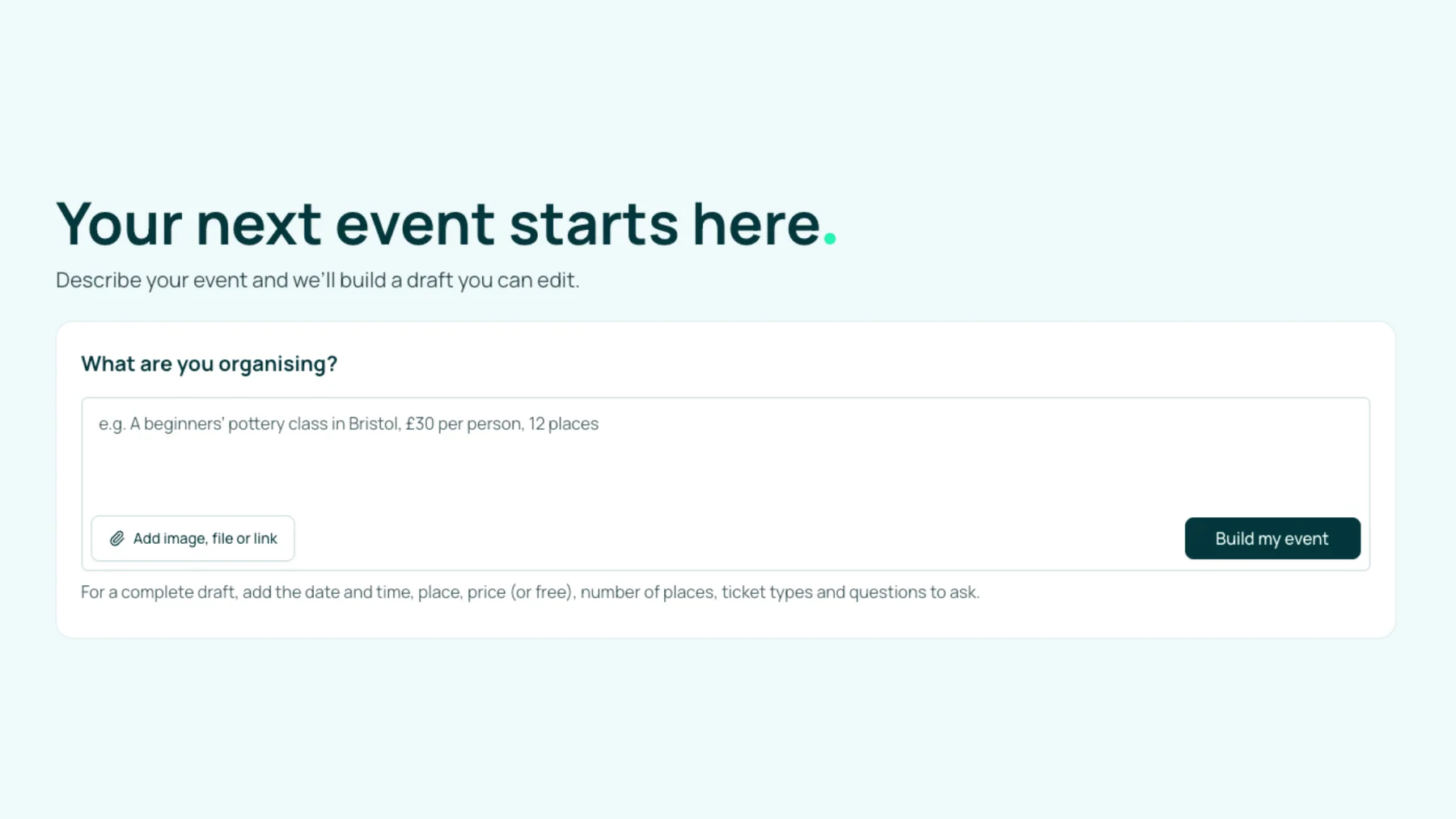
We’re happy to announce that our new AI booking assistant is ready. It builds your event from a short description, so you can go from an idea to a ready booking page much faster.
Why we built an AI booking assistant
Most organisers know what their event should look like long before they know where each setting lives. The AI assistant starts with the event you have in mind and leaves the settings to LetsReg.
From a description to a draft
Describe your class or event, and LetsReg drafts the event page and the booking form for you. You can also build from:
- a document
- a screenshot of an earlier event
- a link to an existing booking page or the course description on your website
If the draft is missing something it needs, such as a date or a contact email, you’re told what to add before you go on.
If you just want to see how LetsReg works and don’t have an event in mind yet, start from one of our templates instead.
Check it, change what you like
You go through the draft yourself, step by step, from the event page to the booking form. Change a date or a question in the booking form, and publish when it looks right. Nothing goes live until you’re ready.
Save it and finish later
If you’re not ready to publish, save the draft and you get a link back to it. Open the link when you have time, and the draft is there as you left it.
Start before you have an account
You don’t need an account to start. You draft your first event and create your account when you’re ready, with the event already there. There’s no email to confirm first. If the event is free, you can publish it and share the booking page straight away. If attendees pay, you first complete a quick set-up for payments, and then the booking page is ready to share.
Or build it yourself
If you’d rather set everything up yourself, you can add the class, the questions and the prices one by one. Either way, once the event is published, attendees book and pay on the booking page, and you can see who has booked in the attendee list.
What comes next
This is the first version, and we’ll keep improving the AI assistant as more organisers use it. If there’s something you’d like the AI assistant to do, tell us. You can read more about how LetsReg works.
Set up your next event
No subscriptions, no fixed costs. Pay as you go: £1 (+ VAT) + 3.9% on paid bookings. Free events are always free.
FAQ
Can I set up an event in LetsReg with AI?
Yes. Describe your class or event, and LetsReg drafts the event page and the booking form. You check the draft, change what you like and publish when you’re happy.
Do I need an account before I start?
No. You can draft your first event without an account and create one when you’re ready.
Can I save a draft and finish it later?
Yes. Save the draft and you get a link back to it, and the draft is there as you left it when you open the link.