

With LetsReg we save at least 7 hours of admin every week. Registration, payment and attendee management all happen automatically, which frees up a lot of time in the day.
 Bernt Jo VoleLiverpool International Football Academy

Stay in control
Event reports on every booking and payment, updated live, ready for your accounts.
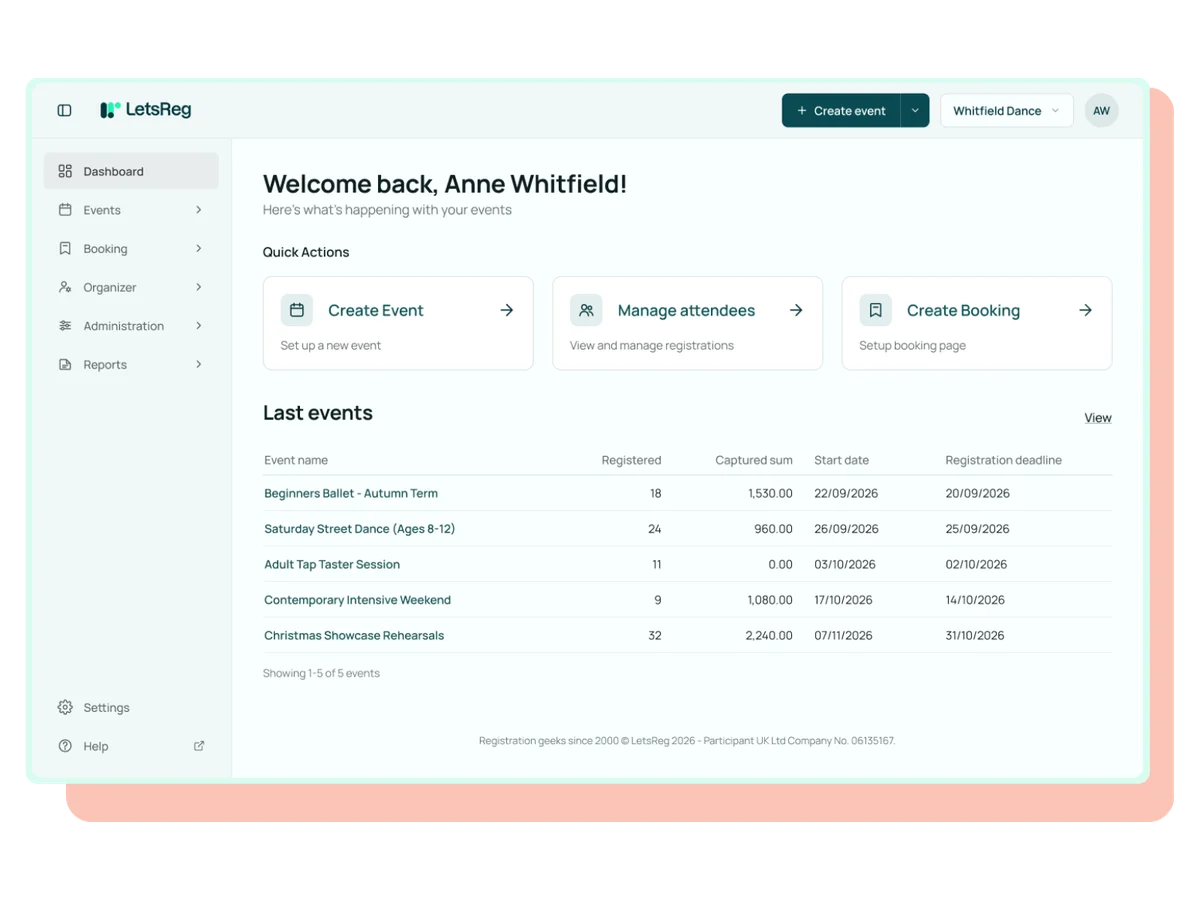
No more asking around to find out who's coming. LetsReg shows each booking as it comes in, with what they chose and how they paid.
Features
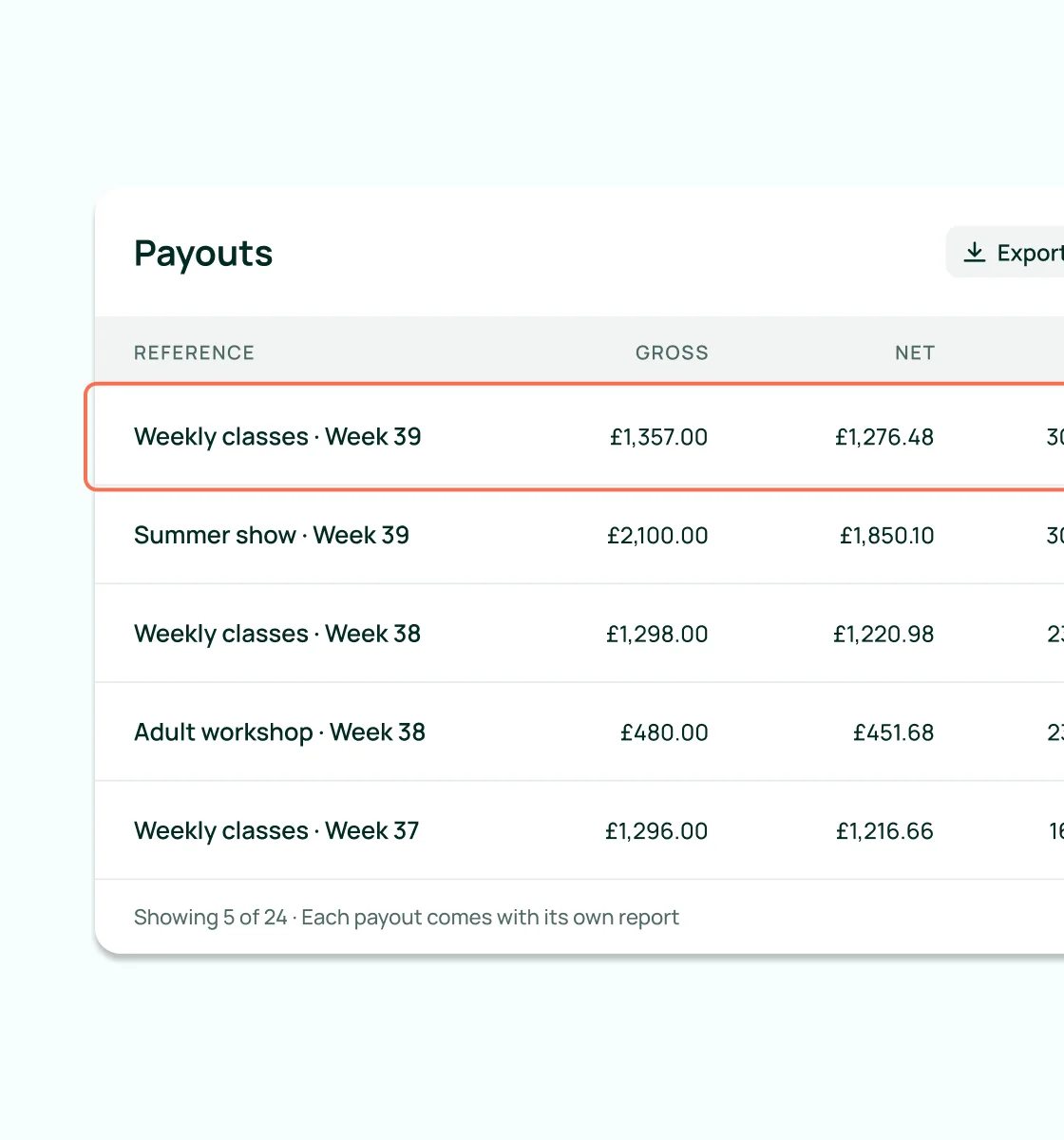
Each weekly payout comes with its own report.
Post the whole week in one go, instead of attendee by attendee.
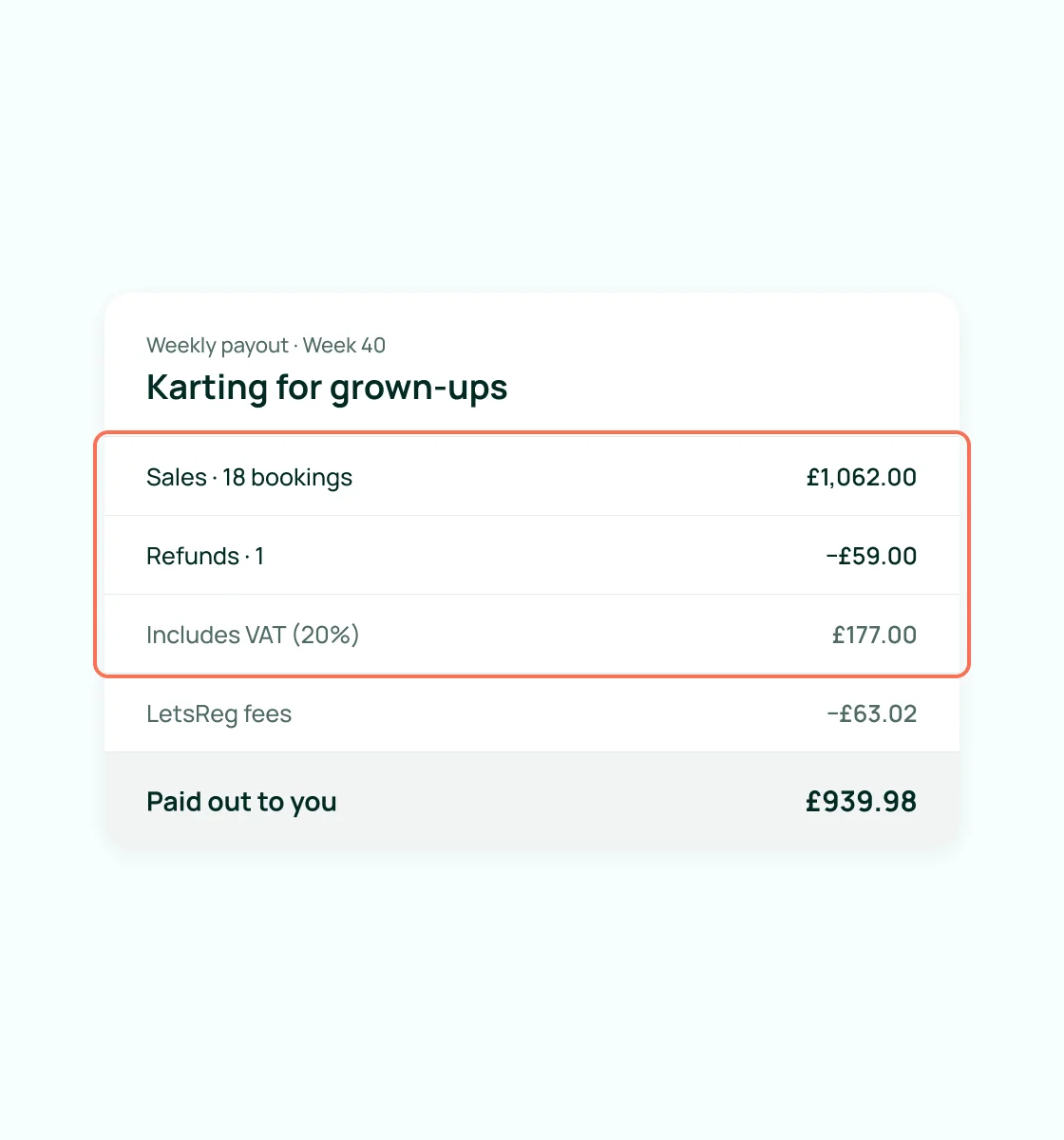
Everything's in the report, ready for your bookkeeping.
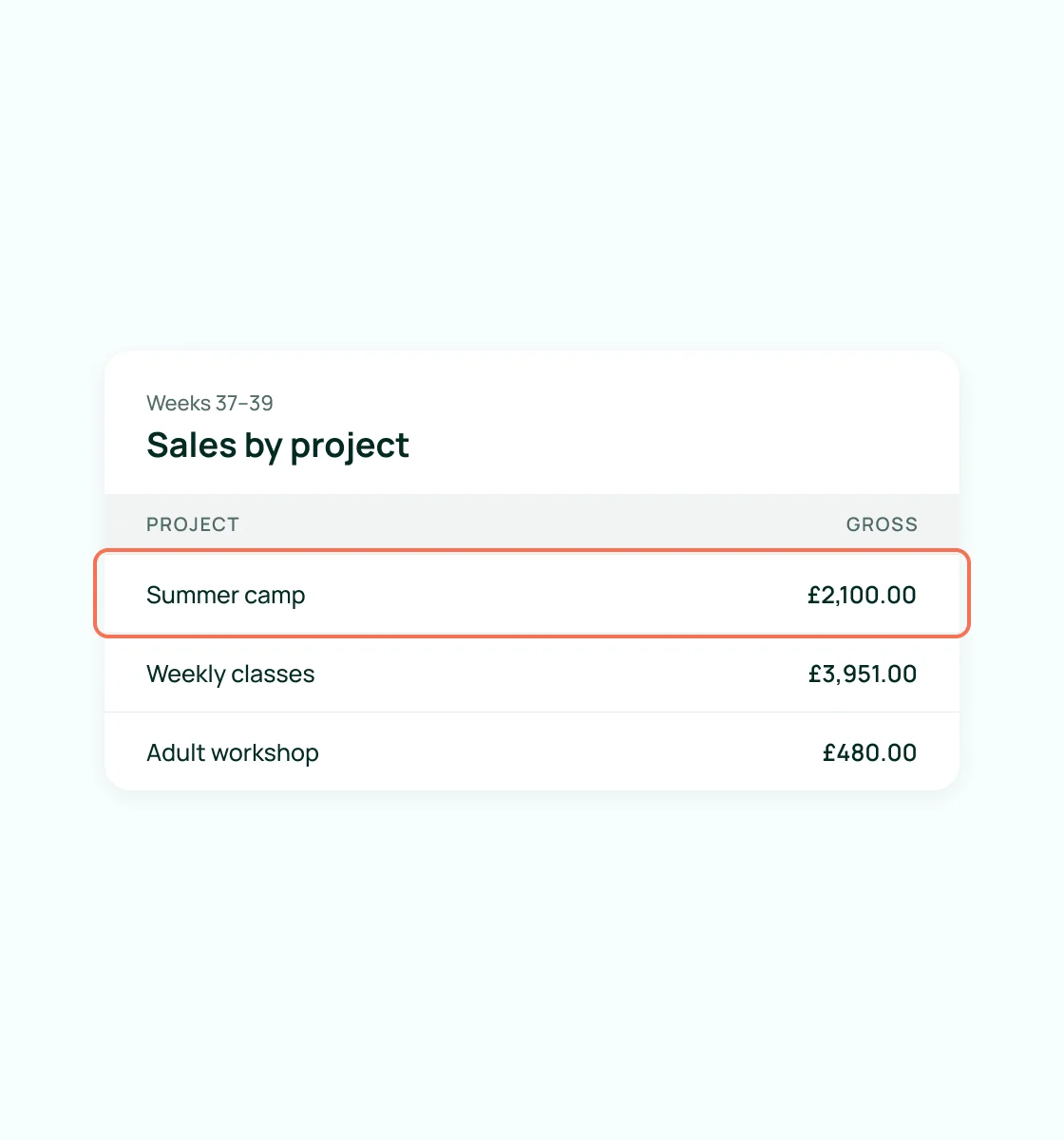
Give an event a project number and its sales get their own report. Handy when you run a summer camp next to the weekly classes.
Give each person the access their part needs, and keep the rest with you.
Your money is paid out every week, with a report for each payout that goes straight into your accounts.
Refund a booking in a few clicks, and the money goes back to them automatically.
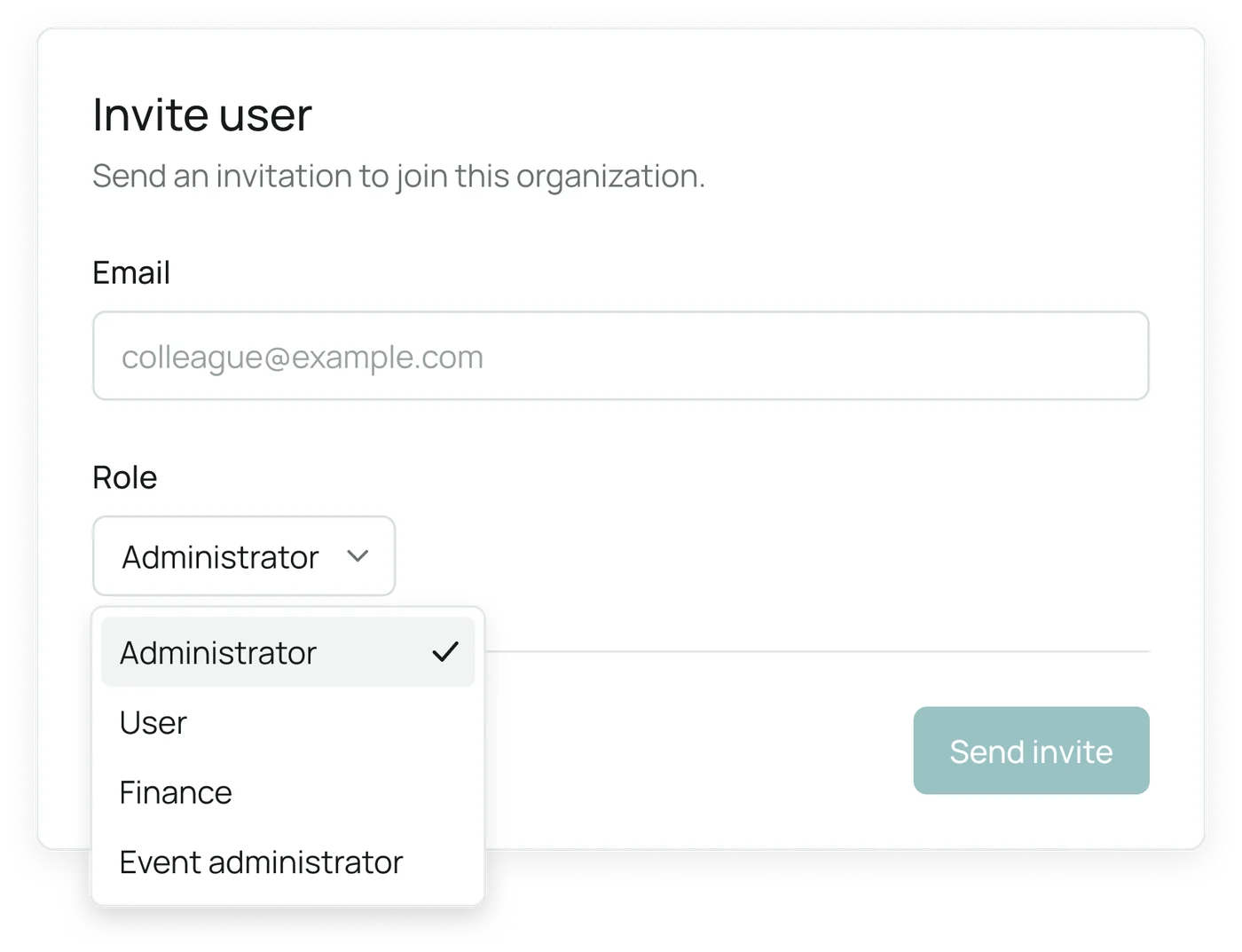
Invite colleagues and give each of them a role, from full administrator to someone helping at a single event.
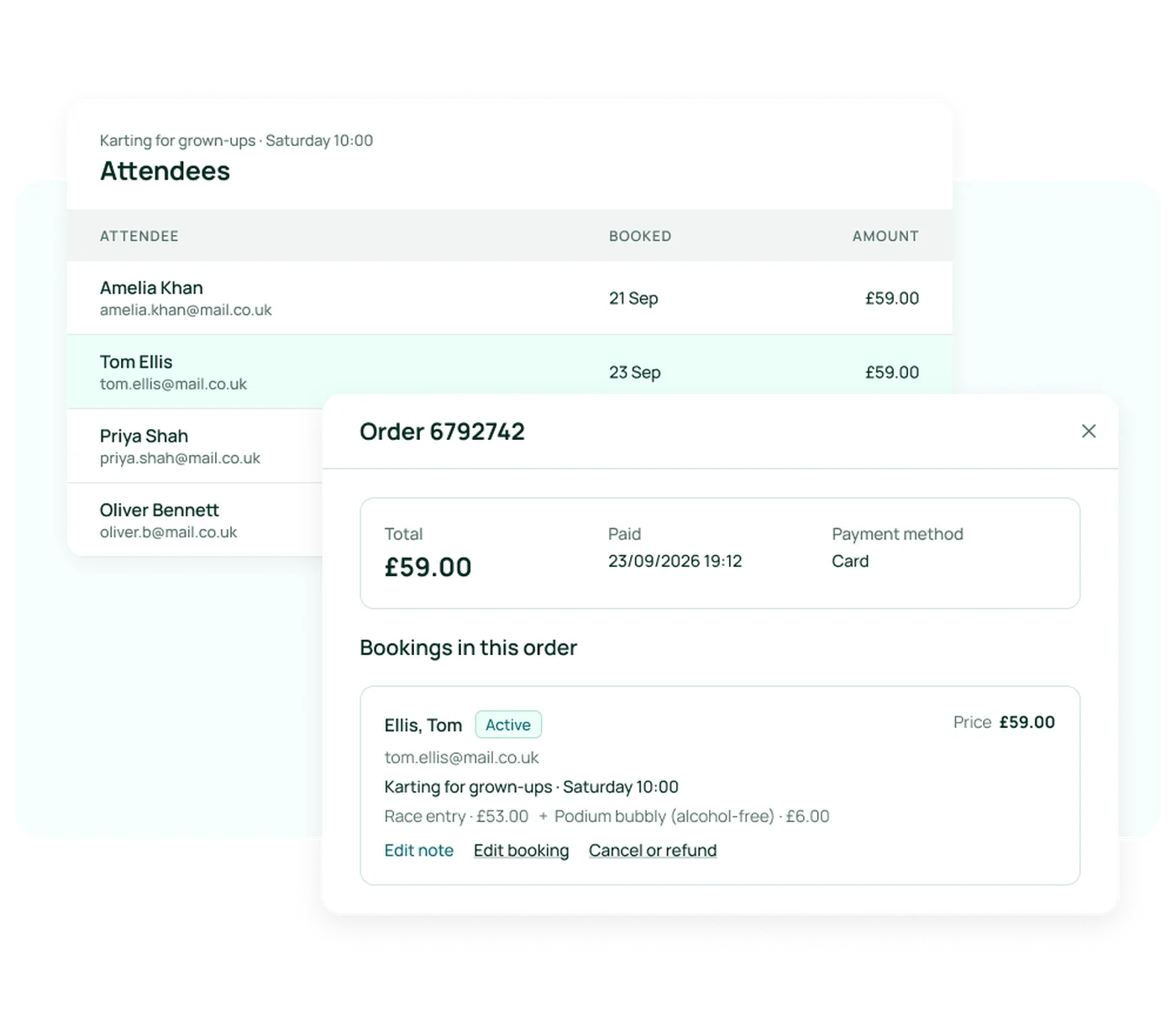
See everyone who has booked as it happens, with their answers from the booking form. Filter the list any way you like.
Every list and report exports to Excel, and payout reports come as a PDF too.
Each payout report shows the VAT on your sales.
Every hour your accountant doesn't spend matching bookings to bank statements is money you keep. One report per payout gives them the whole week at once.
Bookings, payments, refunds and VAT sit in one place, so there's no spreadsheet to keep up and no bank statement to tick off line by line.
With LetsReg we save at least 7 hours of admin every week. Registration, payment and attendee management all happen automatically, which frees up a lot of time in the day.
Bernt Jo VoleLiverpool International Football AcademyIt has been incredibly successful for us and extremely well received by all the Clubs completing the application and making payment of the entry fees online within minutes!
 Scott BoltonCompetitions Officer · The Football Association
The system has enabled us to create a register of attendees for each event as well as reduce the amount of time spent dealing with registrations on the telephone and via email.
 Carole NelsonClub Secretary · Tedworth Park Polo Club
No subscriptions, no fixed costs. Pay as you go: £1 (+ VAT) + 3.9% on paid bookings. Free events are always free.
Open the attendee list for the event to see each booking with name, email and how they paid. On paid events, only paid bookings reach the list.
Yes. The payout report covers the week's bookings, refunds and VAT. Download it as a PDF for your books.
Yes. Filter by any answer people gave when they booked, like the session they chose.
Yes. Give each event a project number and your payout reports are split by it. The summer camp and the weekly classes each show what they brought in.
Every list and report exports to Excel, from the attendee list to the sales on your payout reports.
Yes. Invite colleagues by email and give each of them one of four roles: Administrator, Finance, Event administrator or User.
Open the order and refund it there. The refund is recorded in your payout report along with the rest of the week.
No subscriptions, no fixed costs. Free events are always free.