

With LetsReg we save at least 7 hours of admin every week. Registration, payment and attendee management all happen automatically, which frees up a lot of time in the day.
 Bernt Jo VoleLiverpool International Football Academy

Set up your course
A booking form that does the job for you. Payments, answers and attendee lists are handled automatically.
AI assisted
Give LetsReg the highlights. The small stuff is sorted for you.
A good online booking form gives attendees what they need to book with confidence, and gives you the answers and payments before, during and after an event or class.
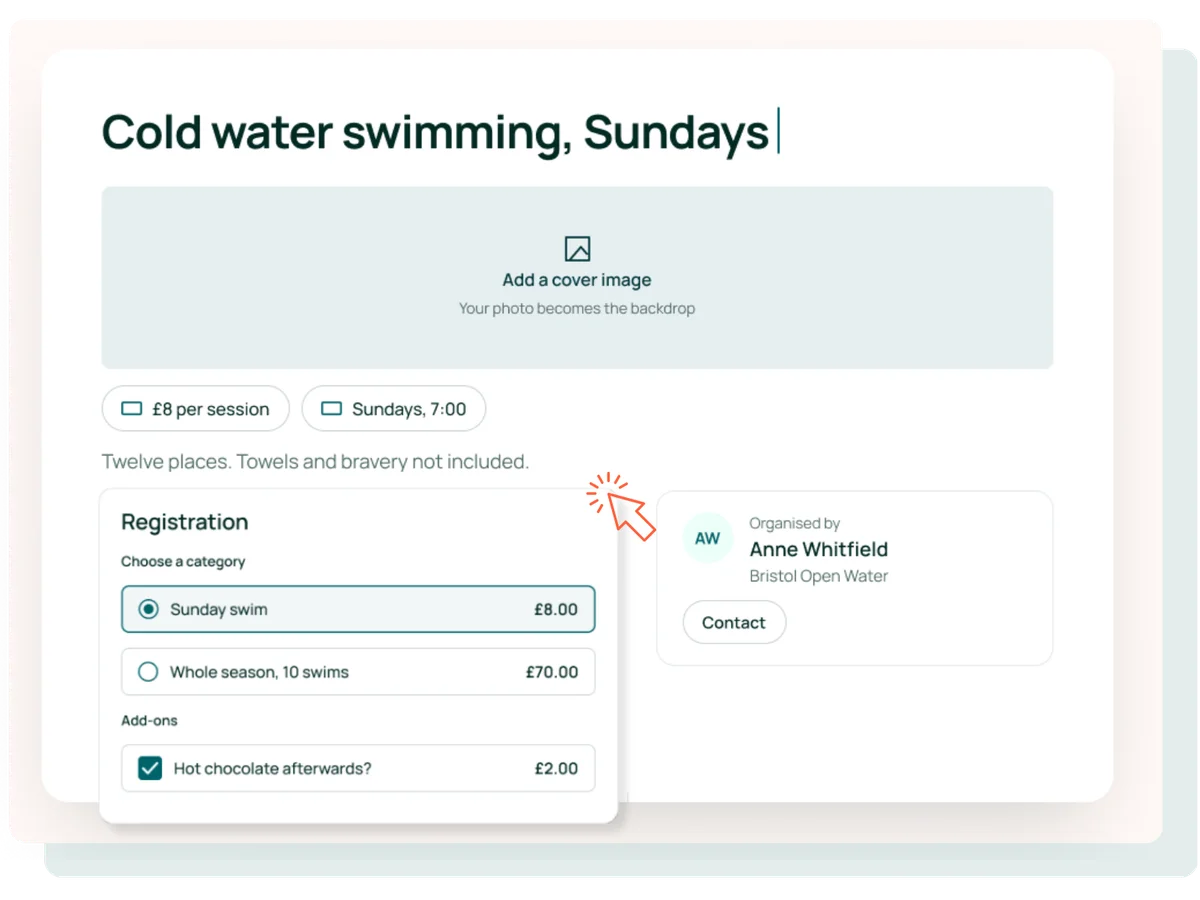
Your event on one page, with the description, dates, price and images. Change any of it after you publish.
Choose your own questions, like an emergency contact, and add your terms in the same form.
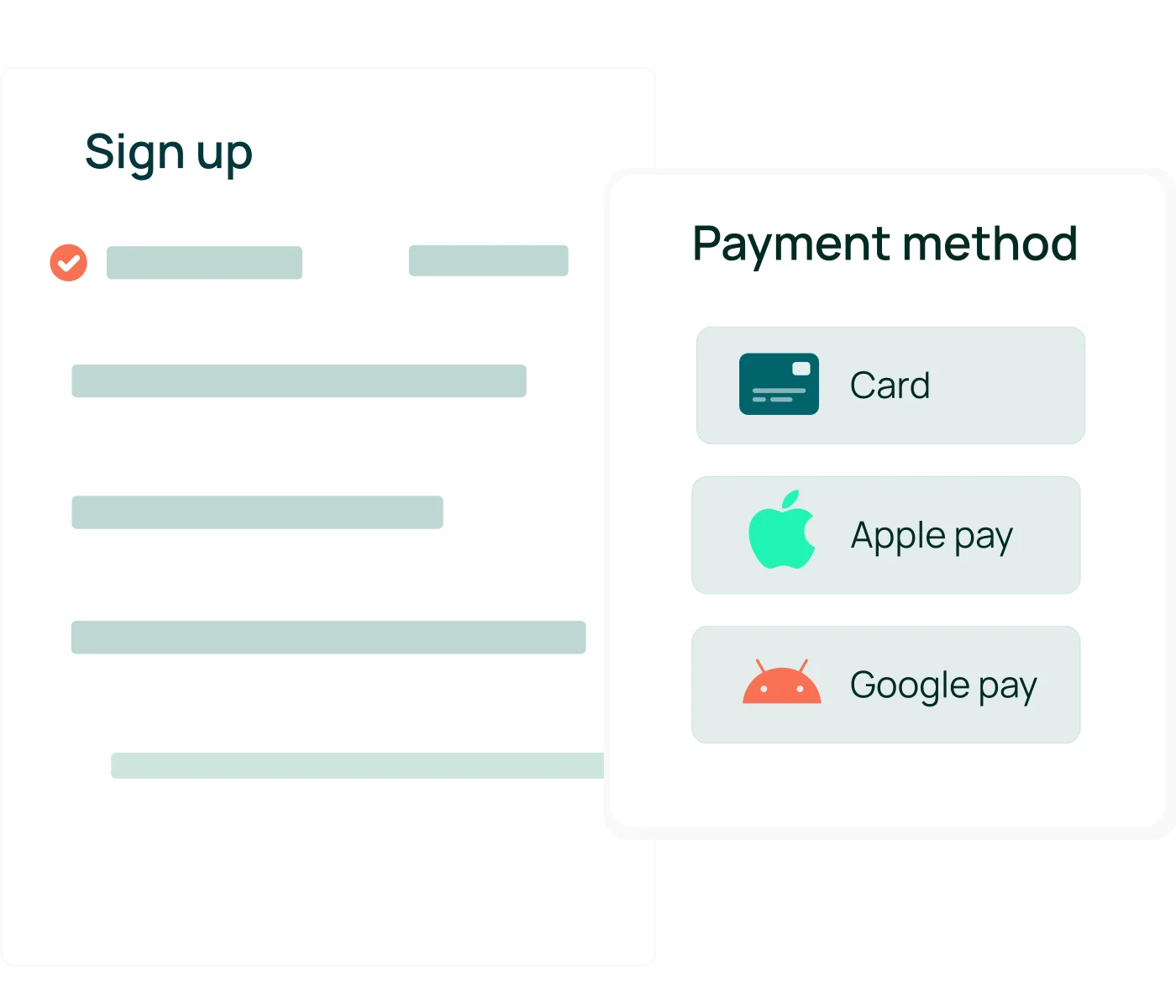
Take card, Apple Pay and Google Pay, and let attendees spread a bigger course fee with a payment plan.
See everyone booked for each class as it happens, with the answers from your form.
Set a limit for each class or session. If it fills up, people can join the waiting list.
Several sessions, a whole course and smart pricing, for courses that run for weeks.
It's simple to be advanced
We've been running bookings since 2000. That means we've sought to address most needs by offering useful features for the tasks that take up too much of your time.
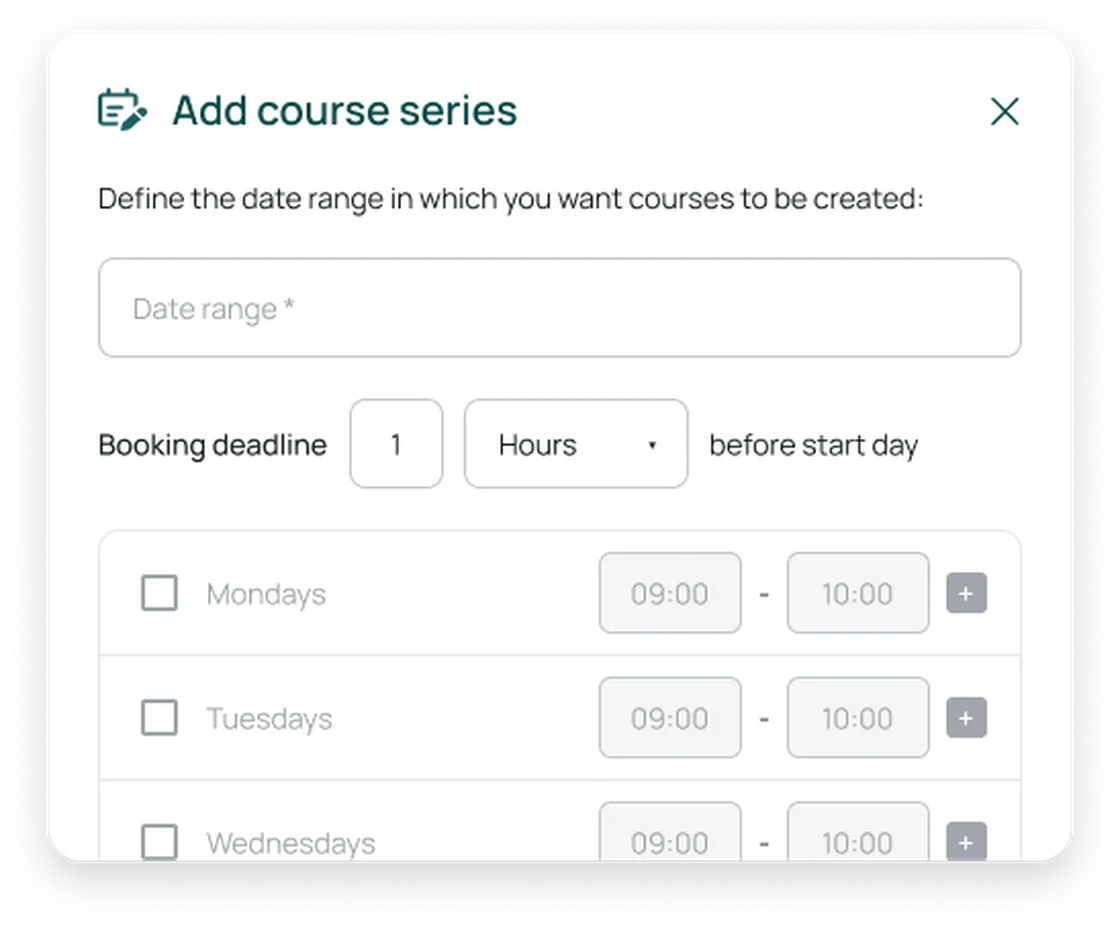
Create one class, add the dates and times, and LetsReg makes every class in the course from it. Each class gets its own attendee list and booking page, so you can share them all at once through your activity calendar.
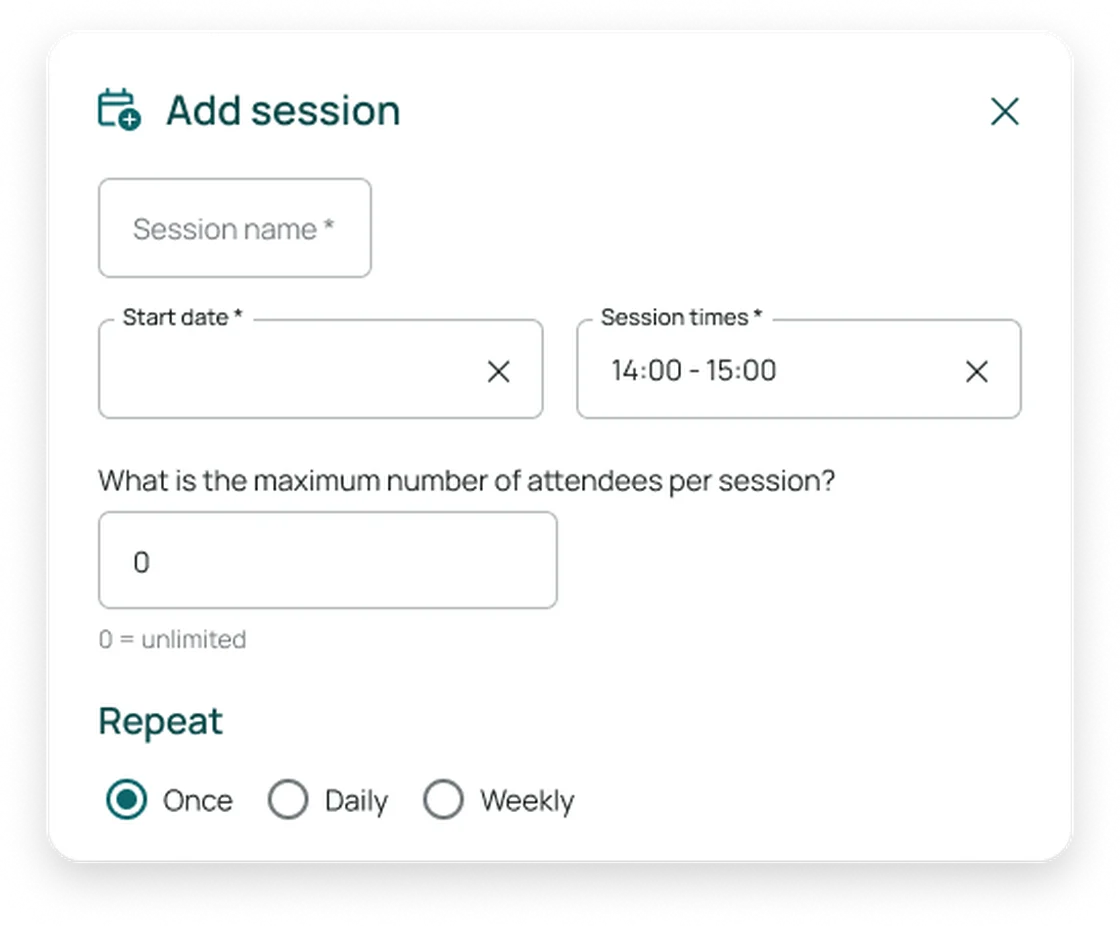
Put every session in one booking form, then choose whether attendees book single sessions or the full course. For single sessions they tick the dates they can make, and the price updates as they choose.
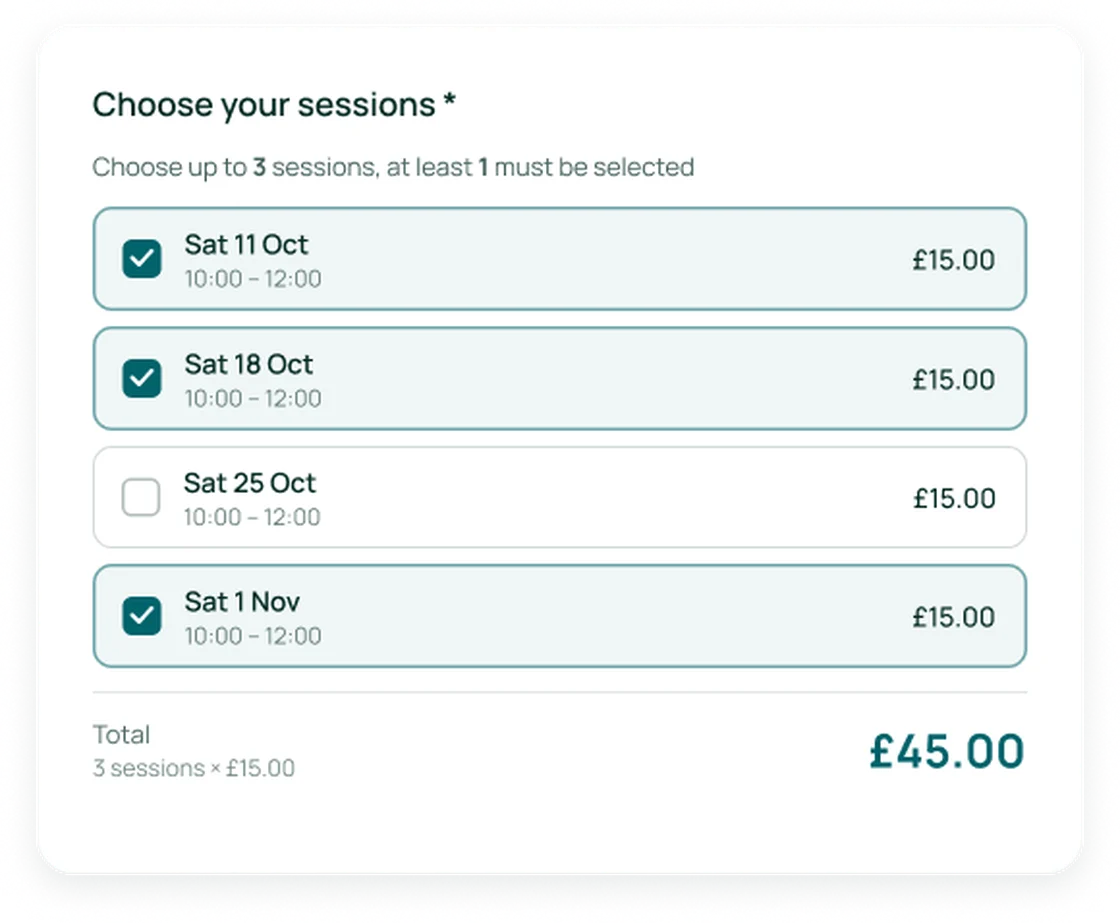
Choose how the course is priced. Someone who joins in week four can pay one price for the classes left. You can also set a fixed sum per session, or a lower price when they book more course days.
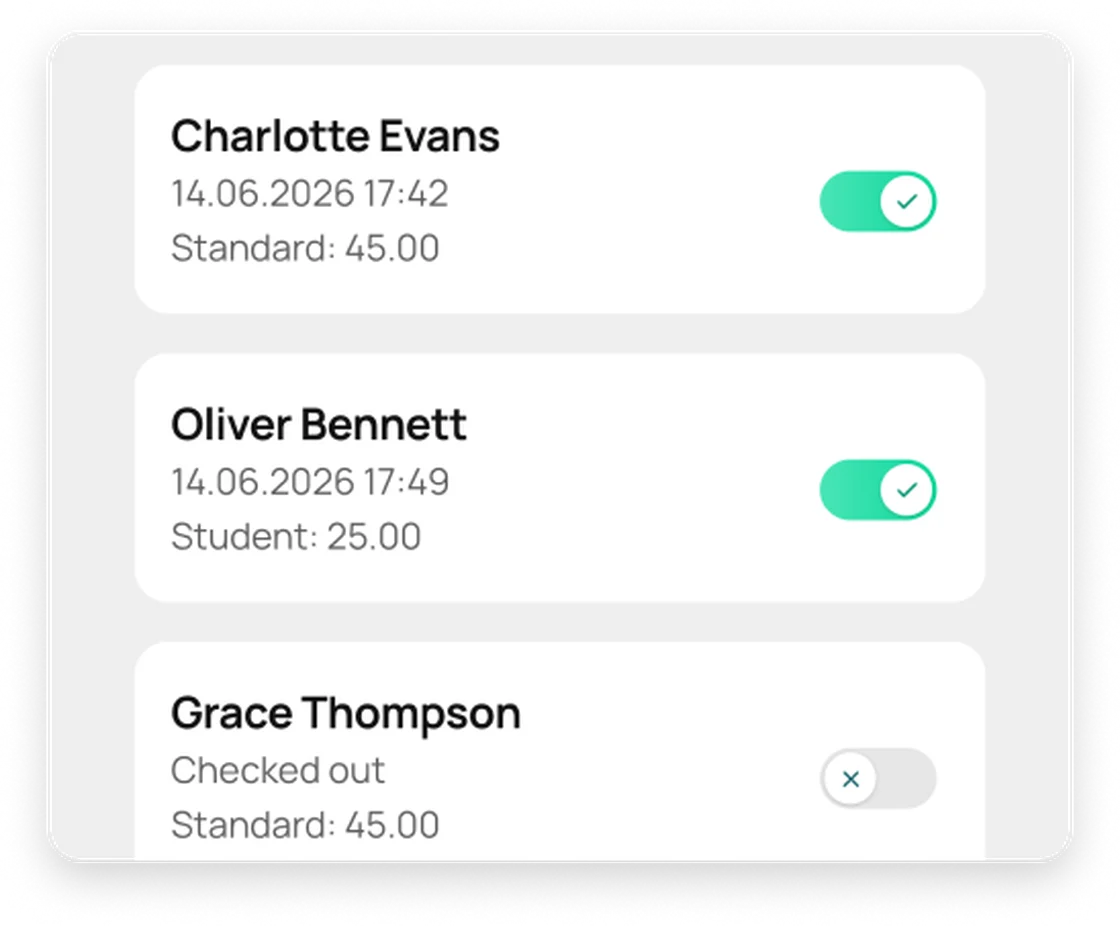
Check people in by session so you can keep track of weekly attendance.
Attendees see your terms, pay through a trusted payment provider and know their details are handled in line with GDPR. That makes it easier to say yes.
Build exactly the booking page you need, and ask attendees for everything once. There's no chasing for details afterwards.
With LetsReg we save at least 7 hours of admin every week. Registration, payment and attendee management all happen automatically, which frees up a lot of time in the day.
Bernt Jo VoleLiverpool International Football AcademyIt has been incredibly successful for us and extremely well received by all the Clubs completing the application and making payment of the entry fees online within minutes!
 Scott BoltonCompetitions Officer · The Football Association
I'd like to say a massive thank you to LetsReg for the way in which it has made our services much more accessible to parents. We have received fantastic feedback and the support is very professional.
 Satish KumarDirector · Excelr8
No subscriptions, no fixed costs. Pay as you go: £1 (+ VAT) + 3.9% on paid bookings. Free events are always free.
An event booking form is the page where attendees sign up and pay for your class, course or event in one step. You set the questions, the price and the dates, and every booking lands in one list.
Wondering how to create an online booking form? Create a free account, then describe your event and check the draft, or start from a blank page and add your questions and price. Your form is ready to share the same day. No subscriptions, no fixed costs. Pay as you go: £1 (+ VAT) + 3.9% on paid bookings. Free events are always free.
Yes. Write what you run in your own words, with the dates, price and number of places, and LetsReg drafts the event and the form. You check it, change anything you like and publish when you're happy.
Yes. Start from a blank page, add your dates, price and questions, and edit anything straight on the page.
Ask for what you'll actually use: name, contact details, and one thing specific to your event, like an emergency contact. Add your terms so attendees agree as they book.
Yes. Show several dates in one form and let attendees choose the ones that suit them. They make a single booking, and you see exactly who's coming to each session.
Yes. Turn a single event into a recurring series in a few clicks. Each class gets its own attendee list.
Yes. Copy any past event to use as a booking form template, keeping the same questions and prices, so the form for a new term starts from the last one.
Yes. For a course with several sessions, you choose how it's priced. Someone who joins late can pay one price for the classes left, or you can charge a set sum per session, or less when they book more course days. You also choose whether attendees book single sessions or the full course.
Yes. Edit it right on the page, from your phone, between classes.
Yes, it's the same job. LetsReg is a booking system, and the booking form is the part attendees fill in.
No subscriptions, no fixed costs. Free events are always free.