

With LetsReg we save at least 7 hours of admin every week. Registration, payment and attendee management all happen automatically, which frees up a lot of time in the day.
 Bernt Jo VoleLiverpool International Football Academy

Manage attendees
Who's booked, who's checked in and who's waiting, live on your phone.
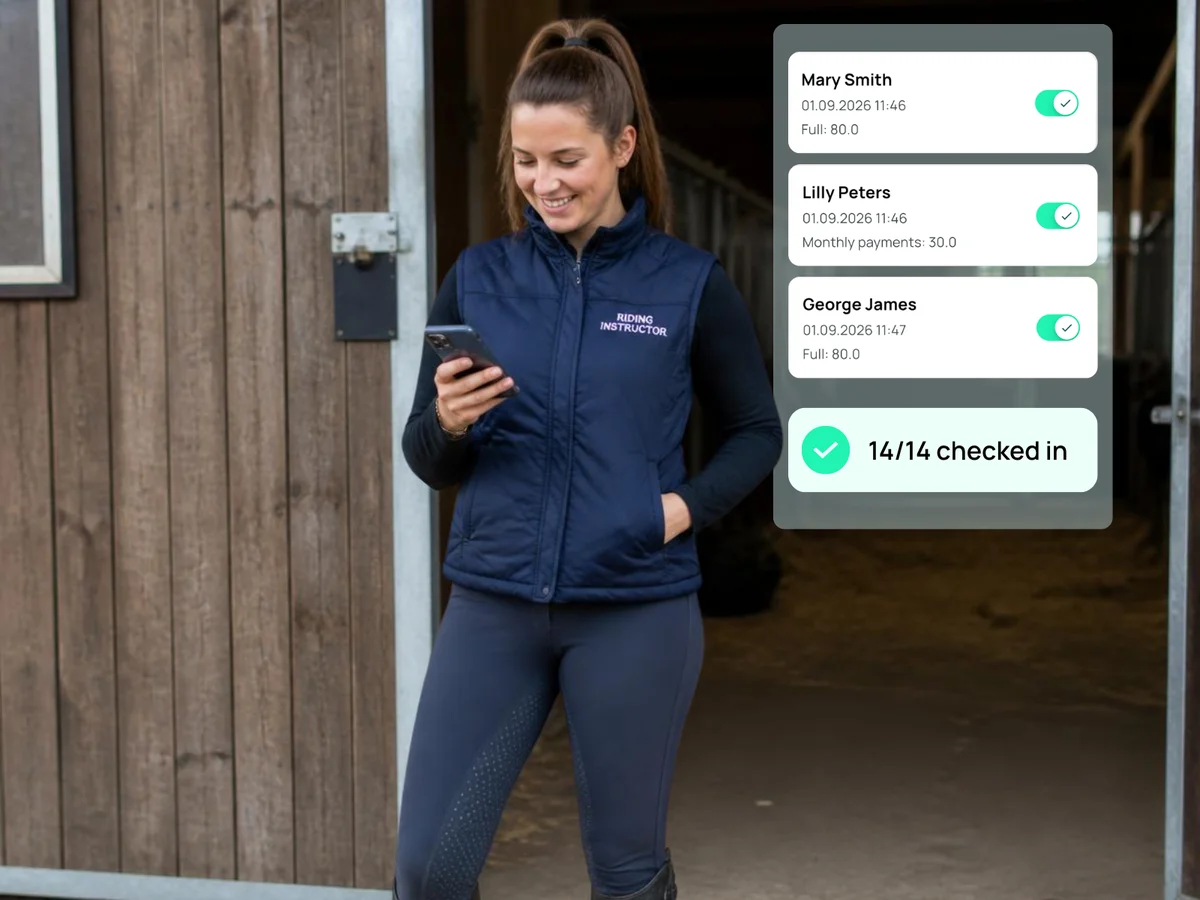
Attendee management is keeping track of everyone who books your classes. In LetsReg each class has its own list, so you always know who's coming.
Name, email and how they paid, for everyone booked on each class and date.
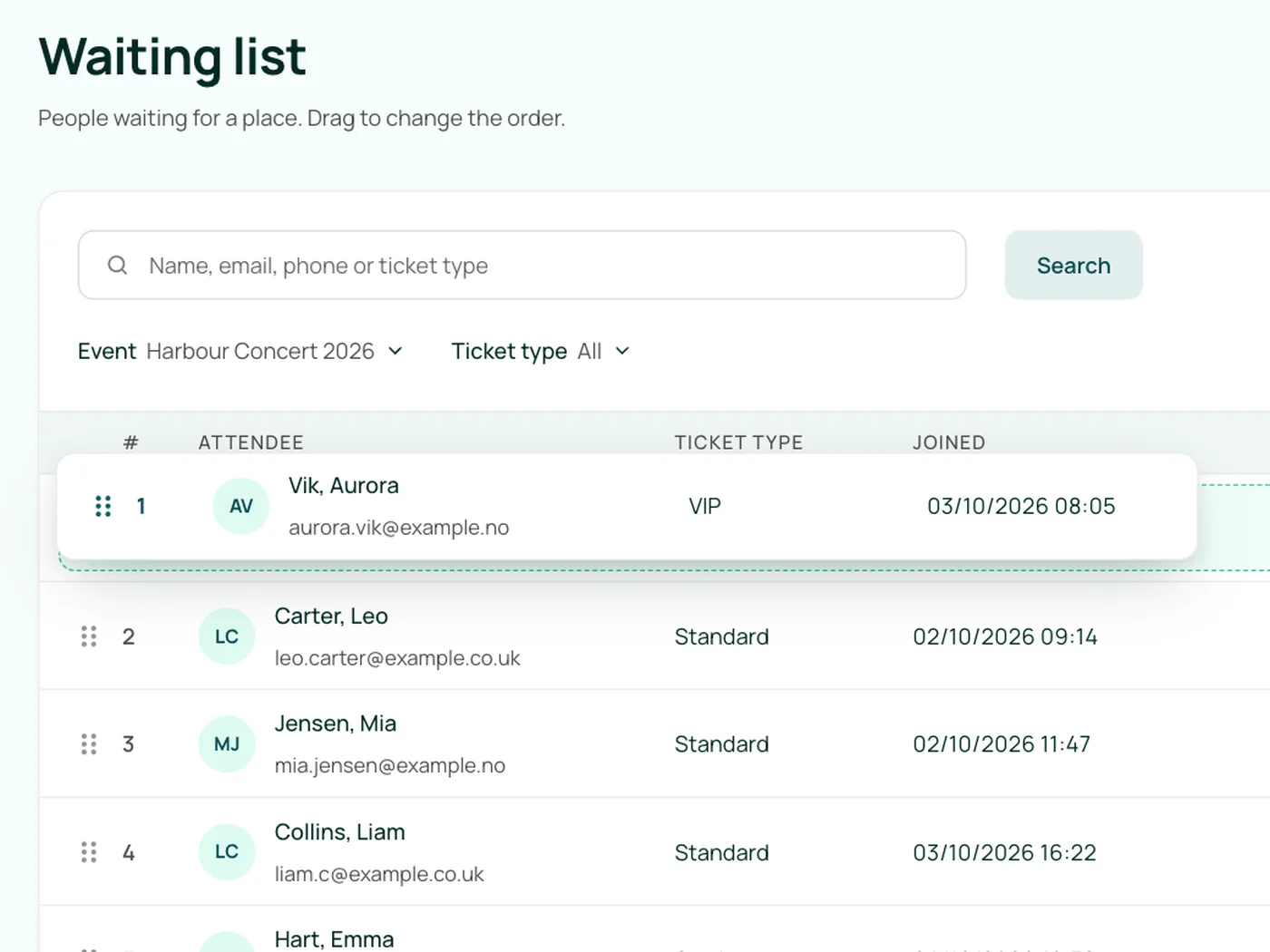
If a place opens up, the first in line gets a link. They snooze, they lose, and it moves on by itself.
Transfer a booking to another course or date, or refund it, straight from the booking.
Ask what you need when they book, and it's all on the attendee list by the time the class starts.
A class that fills up is a good problem to have. The waiting list takes it from there.
Every booking with the details you asked for. Edit them or add a note.
Email or text everyone booked, straight from the class. Resend a confirmation if it goes missing.
Move someone to another course or date.
Full or partial refund straight from LetsReg.
The details people gave when they booked, right there in your LetsReg app.
Tick people off as they arrive, at the door or in the hall.
A full class keeps a waiting list, so you can see when it's worth running a second one. And when plans change, a transfer keeps the income with you.
Details, consent and the register are on one list on your phone, so there's nothing to type up or chase before class.
With LetsReg we save at least 7 hours of admin every week. Registration, payment and attendee management all happen automatically, which frees up a lot of time in the day.
Bernt Jo VoleLiverpool International Football AcademyIt has been incredibly successful for us and extremely well received by all the Clubs completing the application and making payment of the entry fees online within minutes!
 Scott BoltonCompetitions Officer · The Football Association
No subscriptions, no fixed costs. Pay as you go: £1 (+ VAT) + 3.9% on paid bookings. Free events are always free.
Your bookings, payments and attendance update as they happen, so you can see who's booked, who's paid, and how a course is filling, while there's still time to act. Export any of it to Excel in a click, whenever you need the numbers outside LetsReg.
Yes. Weekly payout reports go straight into your accounts, so they're reports your accountant can file as they are, not a spreadsheet you rebuild every month. Export any report to Excel too, if that's what they'd rather have.
Yes. Filter by session, by who's paid and who hasn't, or by who's still on the waiting list, so you can pull up exactly what you need, not the whole list every time.
You decide. Coaches and instructors can see the registers and attendee details they need for the day, while payments and account settings stay with you, from full admin down to a single event.
Yes. Give a helper access to a single event, a parent stepping in for one Saturday or a stand-in coach, without opening up the rest of your account.
Weekly. Every payout comes with a report your accountant can file as it is, so there's no spreadsheet to rebuild at the end of the month.
Yes. Event attendance reporting updates live as people book and attend, so you can see who came to a session at a glance rather than reconciling a register afterwards, and export the same attendance data to Excel whenever you need it outside LetsReg.
No subscriptions, no fixed costs. Free events are always free.