Skip to content

Appointment booking system

Illustration for calendar booking system
  • Perfect for one-to-one sessions
  • Take bookings and get paid upfront
  • Avoid no-shows and the back and forth
  • Integrated payment
  • No fixed or monthly fees
  • Free for free bookings
  • Trusted since 2000

Perfect if you already run classes

You run group classes, and offer one-to-one time on the side. LetsReg takes both, on the same account, so private lessons, taster sessions and assessments sit in one place, with one login and one weekly payout

See how classes work

Simplify your booking and payment

Say goodbye to endless email exchanges. Attendees pick a time that suits them straight from your booking page. Once a slot is taken, both you and the attendee get an automatic calendar invite, so in-person and online sessions stay coordinated.

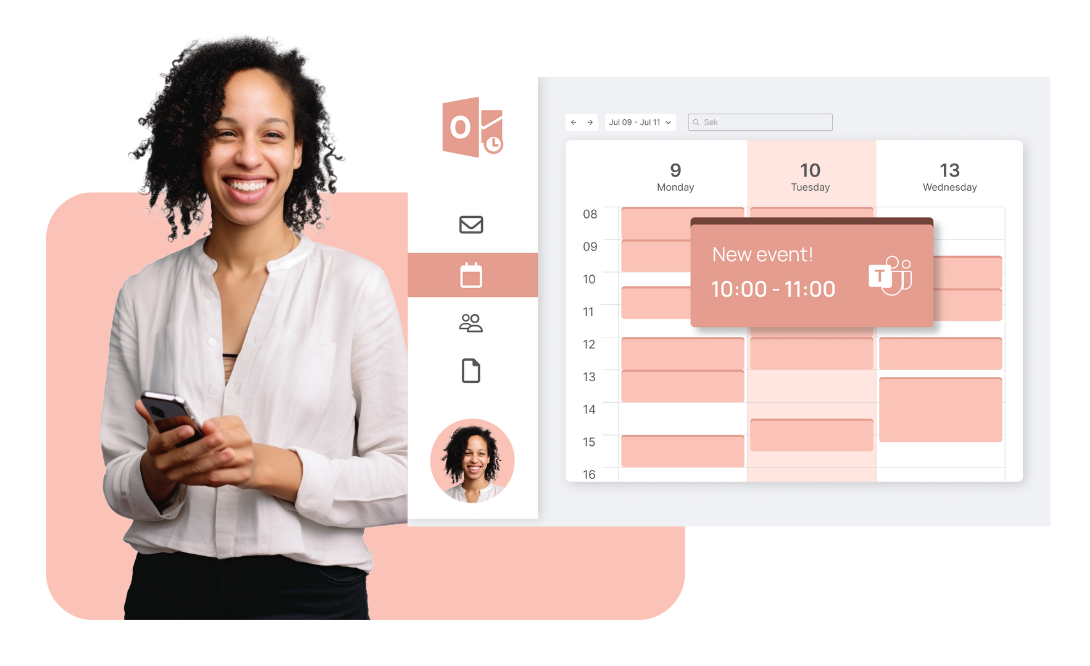
Integrated with Outlook

Manage your appointment booking from your Outlook calendar. Available slots update in real time as bookings come in. For online services, a Microsoft Teams link is added to the meeting automatically.

How it works

  • 1

    Set up your booking page

    Enter your available times and settings, and the system takes care of the rest, so you avoid double bookings.

  • 2

    Booking and payment in one step

    Attendees book and pay online where they see your availability. Paying upfront reduces no-shows.

  • 3

    Watch your calendar fill up

    Confirmations and calendar invites are sent automatically, keeping your schedule organised.

Create free account

Make it easy for customers to book with you

Everything in one place

Bring all your lesson types together on one booking page. Add different sessions with separate prices, a private lesson, a taster session, a block of ten, so attendees get a straightforward booking. The system tracks capacity and helps you avoid overlapping bookings in your calendar.

Take control of your booking schedule

You decide how far ahead an attendee can book. Set a time range, or open a set number of slots per day, so bookings stay predictable and you can plan your week around them.

LetsReg handles

  • Predictable Bookings

    Define rules for how long in advance an appointment can be booked.
  • Always Updated

    Full overview of your bookings, updated in real time.
  • Automatic Follow-up

    The booking system sends order confirmations and meeting invitations, so you can focus on other things.

Simple payment solution

LetsReg takes payment upfront when an attendee books, which reduces the risk of no-shows. For private lessons, one-to-one coaching, personal training or assessments, taking payment at the same time as the booking removes the invoicing and the admin that comes with it.

Read more about the payment solution

Everything you would need, and then some

FAQ

  • What is an appointment booking system?

    An appointment booking system lets people see your availability, book a time that suits them, and pay upfront. It sends confirmations and calendar invites automatically, and keeps your schedule in one place so you avoid double bookings.

  • How does online appointment booking work?

    You set your available times and prices, then share your booking page. Attendees choose a slot and pay, and the booking is added to your calendar and theirs. With LetsReg, free bookings stay free and paid bookings are £1 + 3.9%.

  • Can I use it for private lessons and one-to-one sessions?

    Yes. It is built for course and activity providers who run classes and also offer private lessons, taster sessions or one-to-one time. You take the private bookings on the same account as your classes, with one login and one weekly payout.

Logo mønster

Create your booking page

Get started today - No fixed costs
Create free account Book a meeting